Paper, texts, and a spreadsheet
The call is on a pad. The gate code is in a text. Last year’s price is in a file nobody can find. By the time the truck leaves, the office and the tech are not looking at the same job.
 Log in
Plumbing · Electrical · HVAC
Customers, price book, estimates, the schedule, invoices, and your team — one system, no bloat.
Built by tradesmen, for tradesmen.
The call is on a pad. The gate code is in a text. Last year’s price is in a file nobody can find. By the time the truck leaves, the office and the tech are not looking at the same job.
Customer, price, window, and invoice stay on one record. When the scope changes, you change it once. The crew sees the update. You invoice what was actually sold.
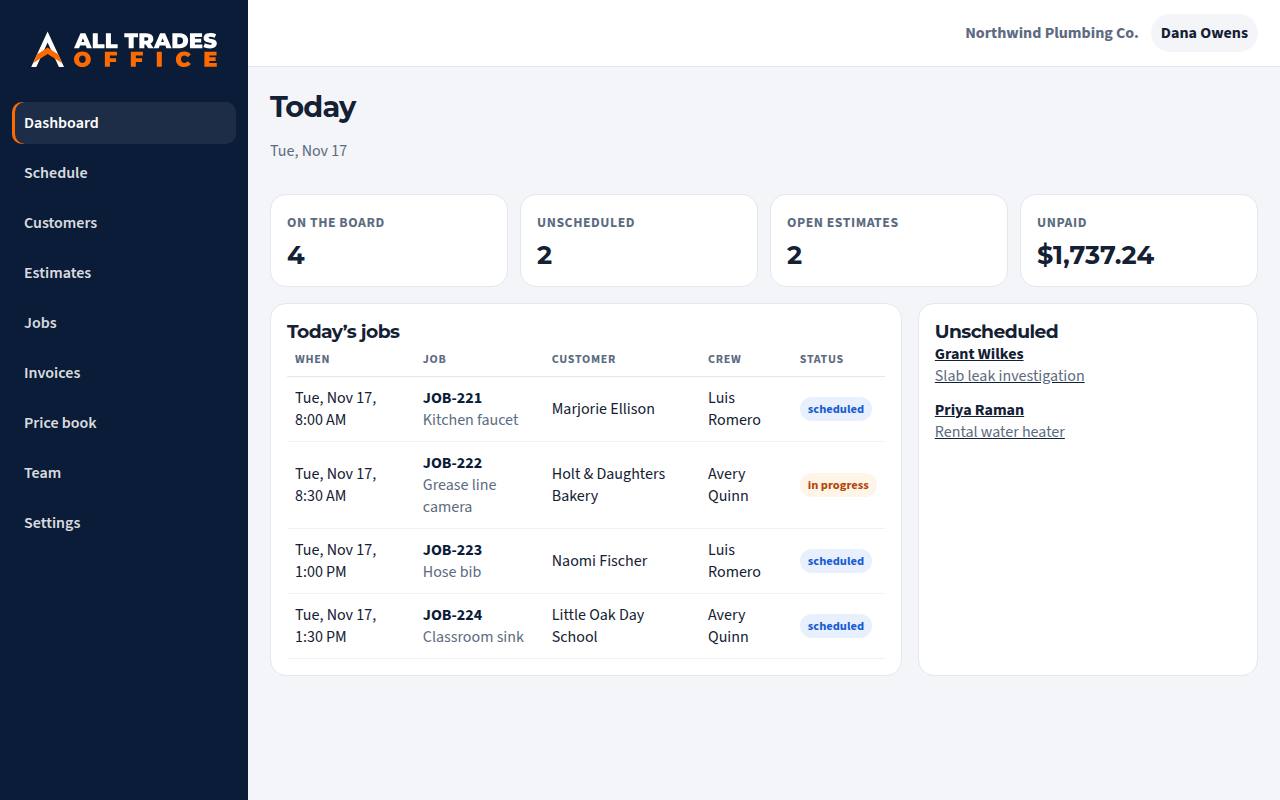
Screens below are from a sample company. The names and prices are made up.
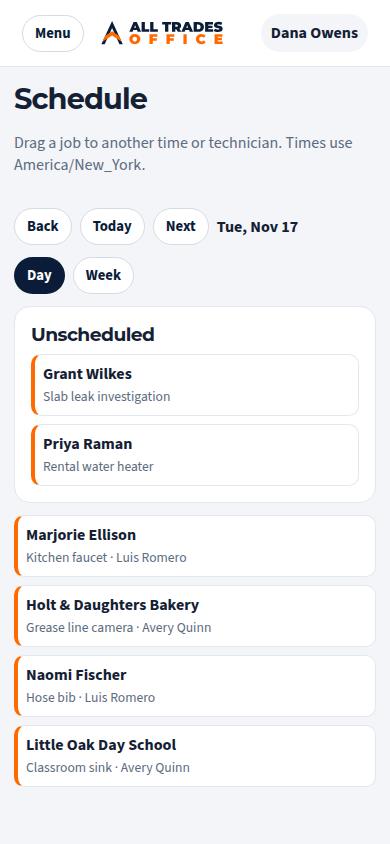
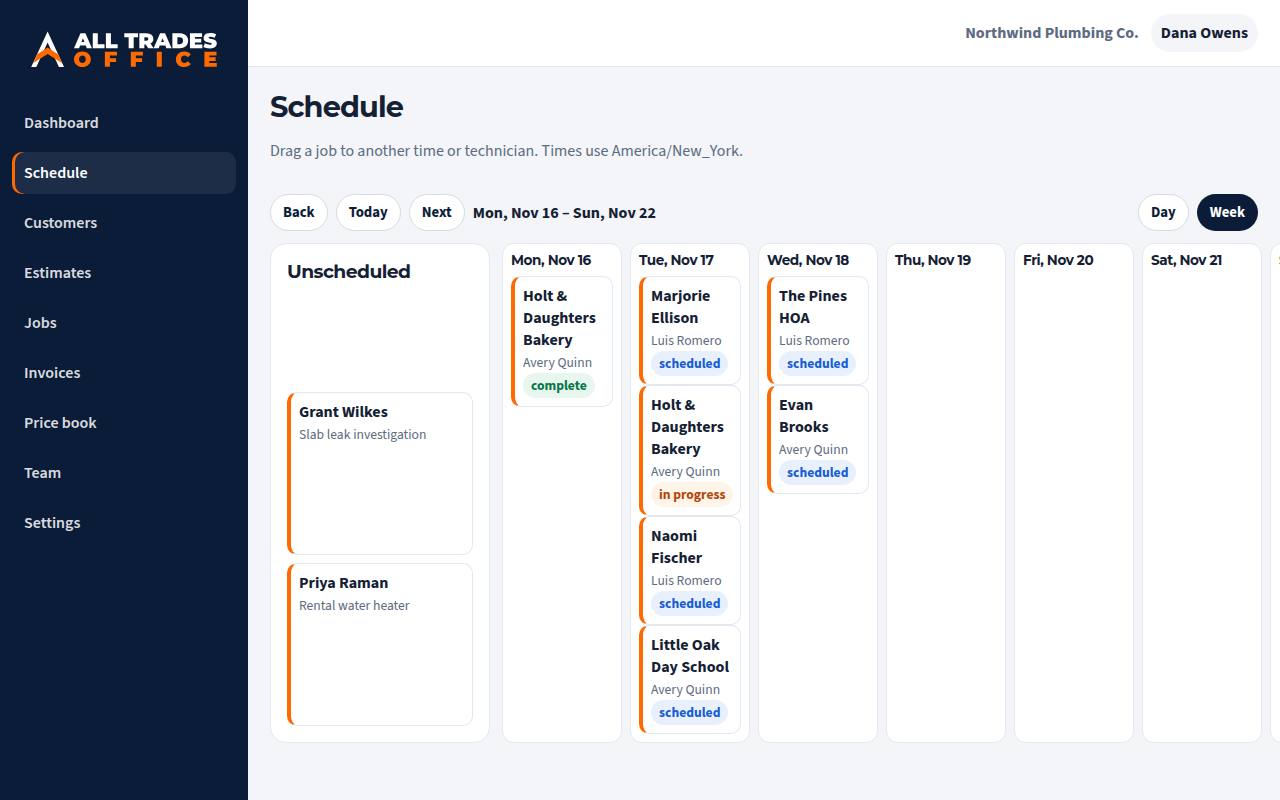
See the day by technician. Drag a job when the afternoon falls apart. Unscheduled work stays on the board instead of in someone’s head.
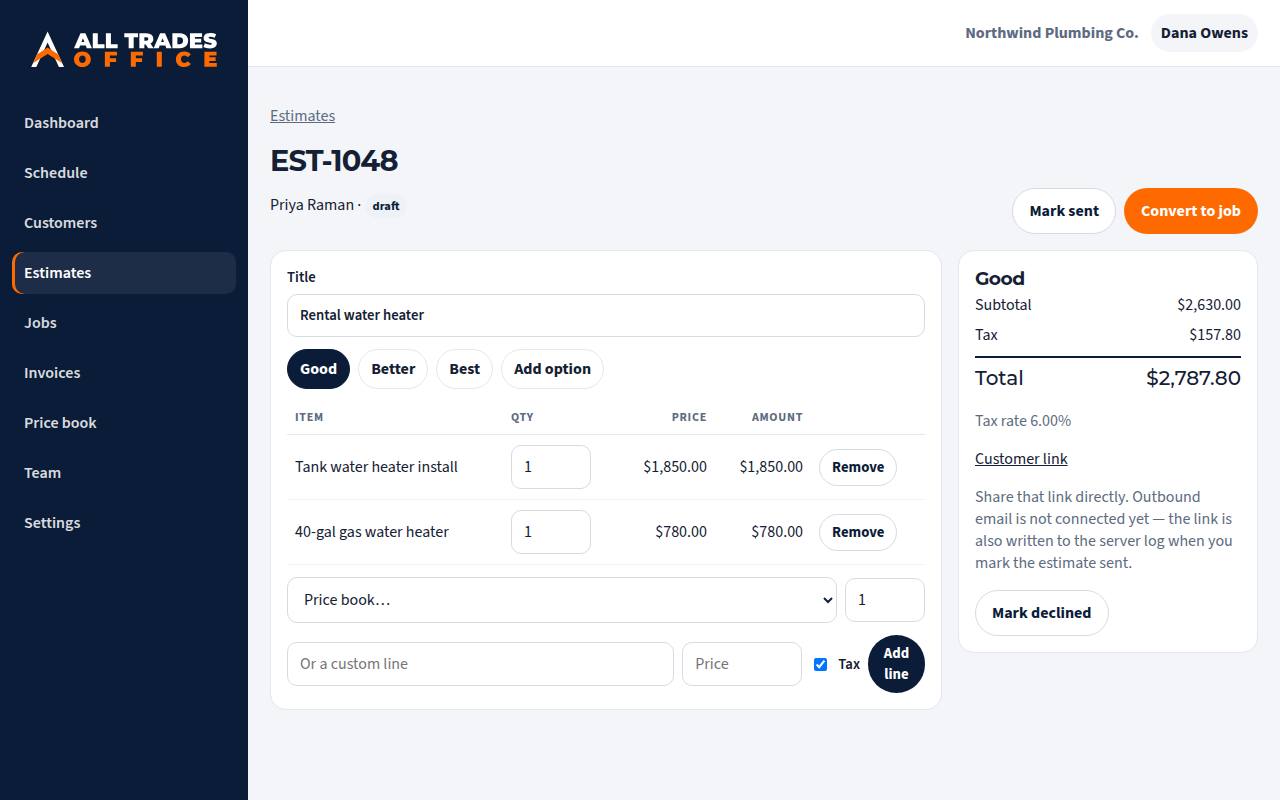
Price from the book or write a custom line. Offer good, better, and best when the customer needs a choice. They open a private link and approve one option.
Turn the job into an invoice with the same lines and your tax rate. Record cash and check. The balance stays visible until it is paid.
Card and ACH payments — coming soon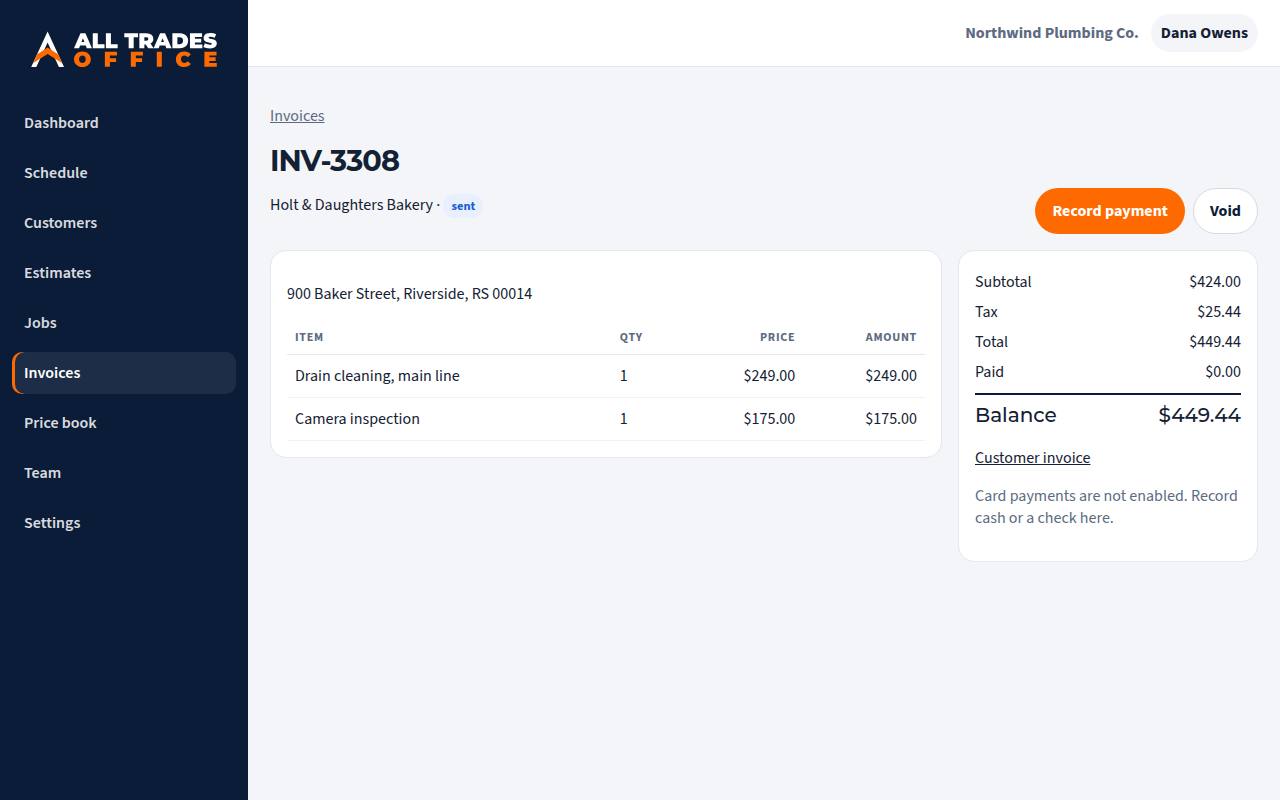
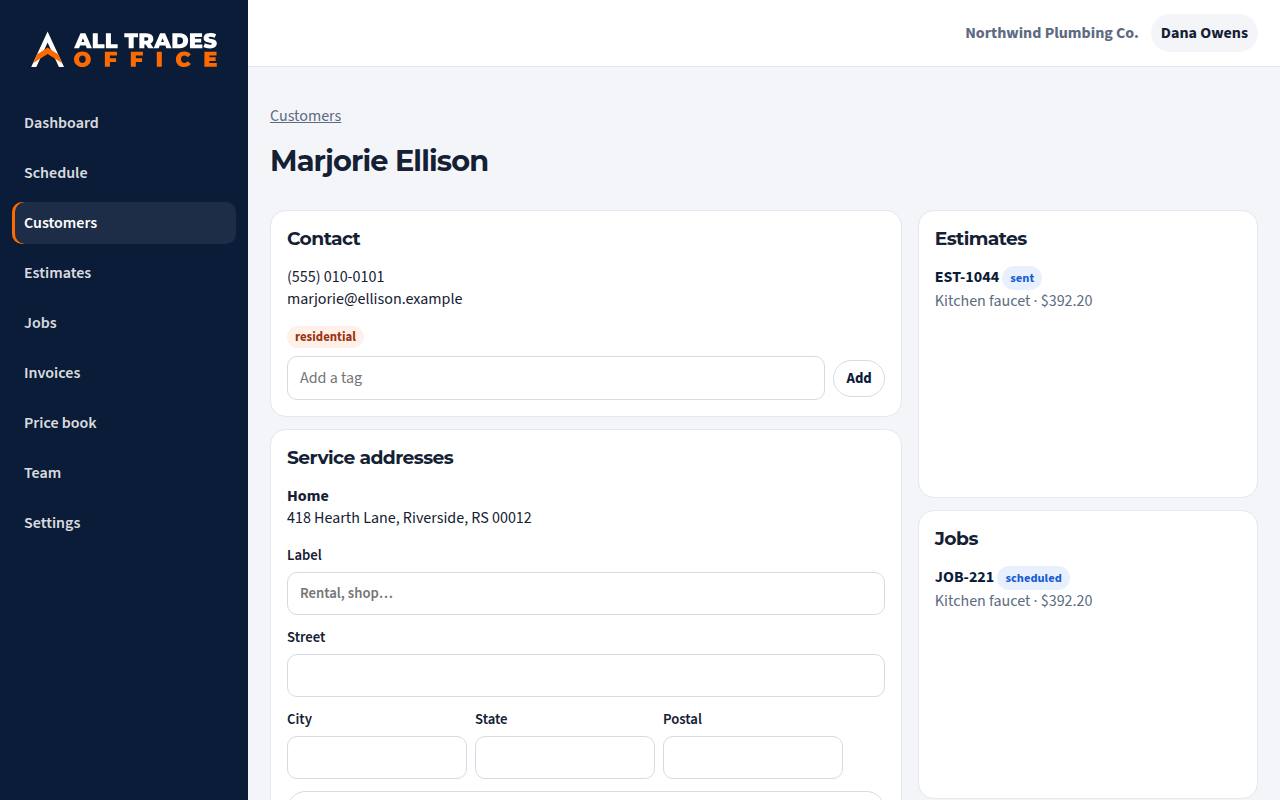
More than one service address. Notes, tags, and the estimates, jobs, and invoices that belong to that person. Next time you roll up, you already know the house.
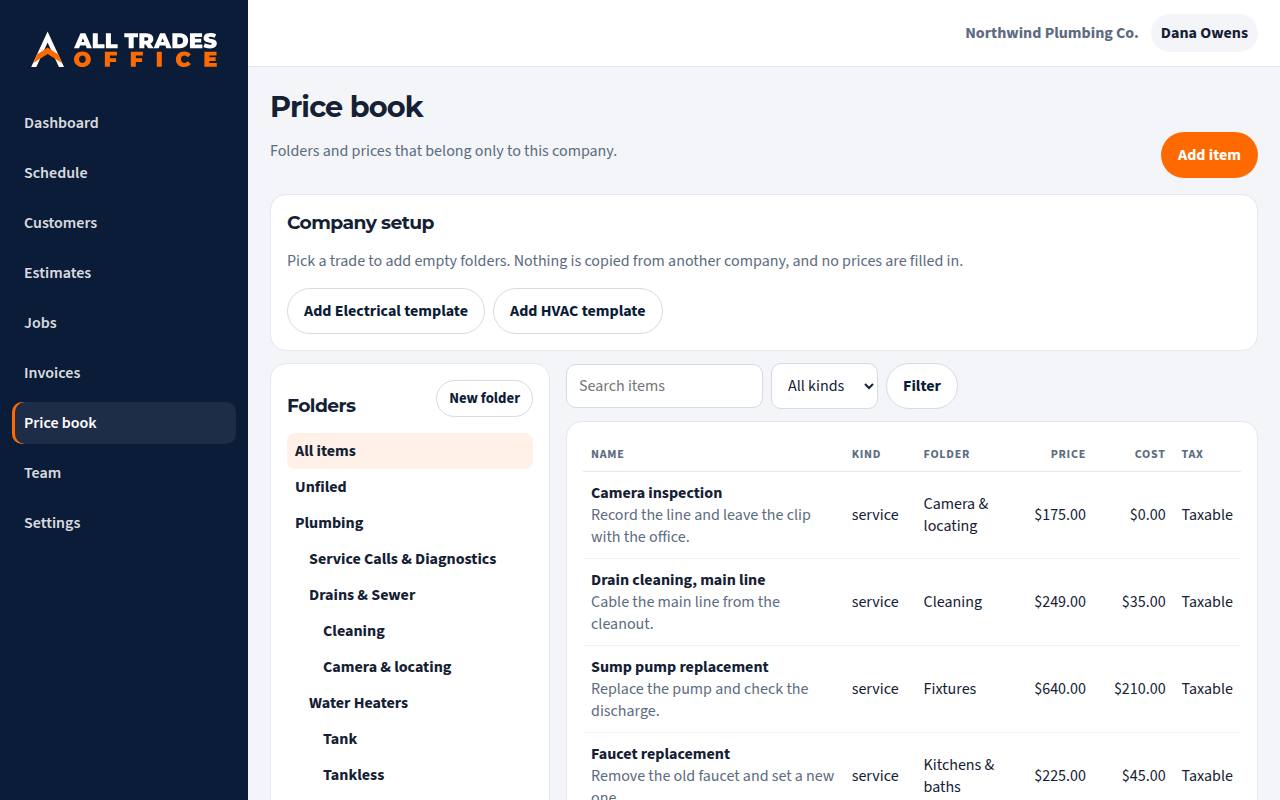
Start from empty folders for the trades you do. Put your own prices in. Nothing is copied from another company, and the template does not invent numbers for you.
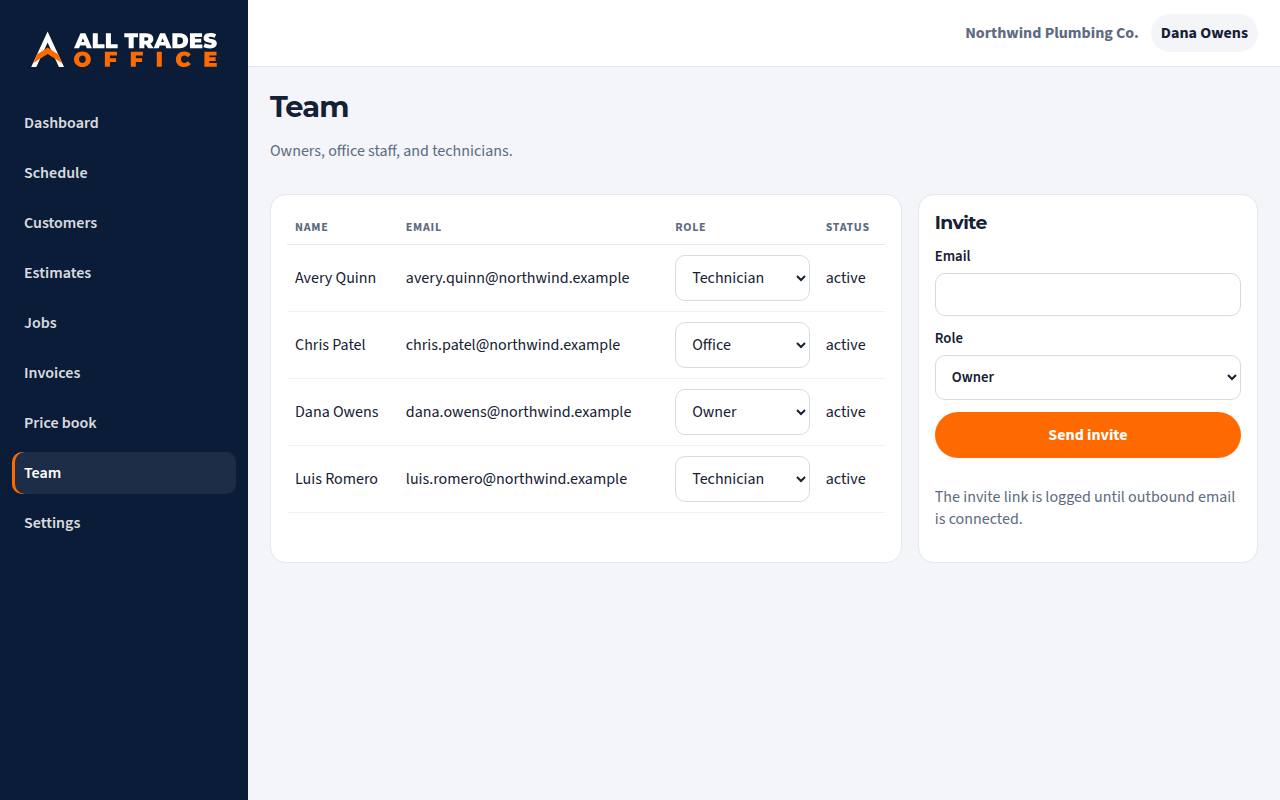
Owners, office staff, and technicians. Invite by email and set the role. Technicians can update the job they are on. The books stay with the office.
Today the office works in the browser, including on a phone. A technician app, built for the person in the truck, is coming on alltradesoffice.app. It will use this same company record.
Coming soon · alltradesoffice.appPick one or more when you set up the company. You get empty folders. You fill in the prices.
Name, phone, address, timezone, and tax rate. Choose the trades you actually do.
Empty folders arrive with the trade. Add your services and materials, with your prices.
Write the estimate, put the job on the board, and invoice when the work is done.

Each company is its own walled-off workspace. Customers, prices, jobs, and payments are stored with your company and are not visible to any other company on All Trades Office. We do not mix books, and we do not seed your prices from someone else’s.
The office is: customers, price book, estimates, schedule, jobs, invoices, and team. Card and ACH payments are not on yet. The technician phone app is not on yet. Cash and check are.
People you invite into your company, and only at the role you give them. Another company using All Trades Office cannot open your book.
You get a private link. You send it. We are not emailing documents for you yet, so do not assume the customer was notified just because you marked it sent.
Record cash or a check on the invoice. Card and ACH checkout is coming. There is no card form on the invoice now.
No. Plumbing, electrical, and HVAC templates are empty folders. You type the prices your company actually charges.
Built by tradesmen, for tradesmen. The sample company you see in the pictures is fictional.
Tell us the trade and the size of the crew. We’ll walk through the office with you.